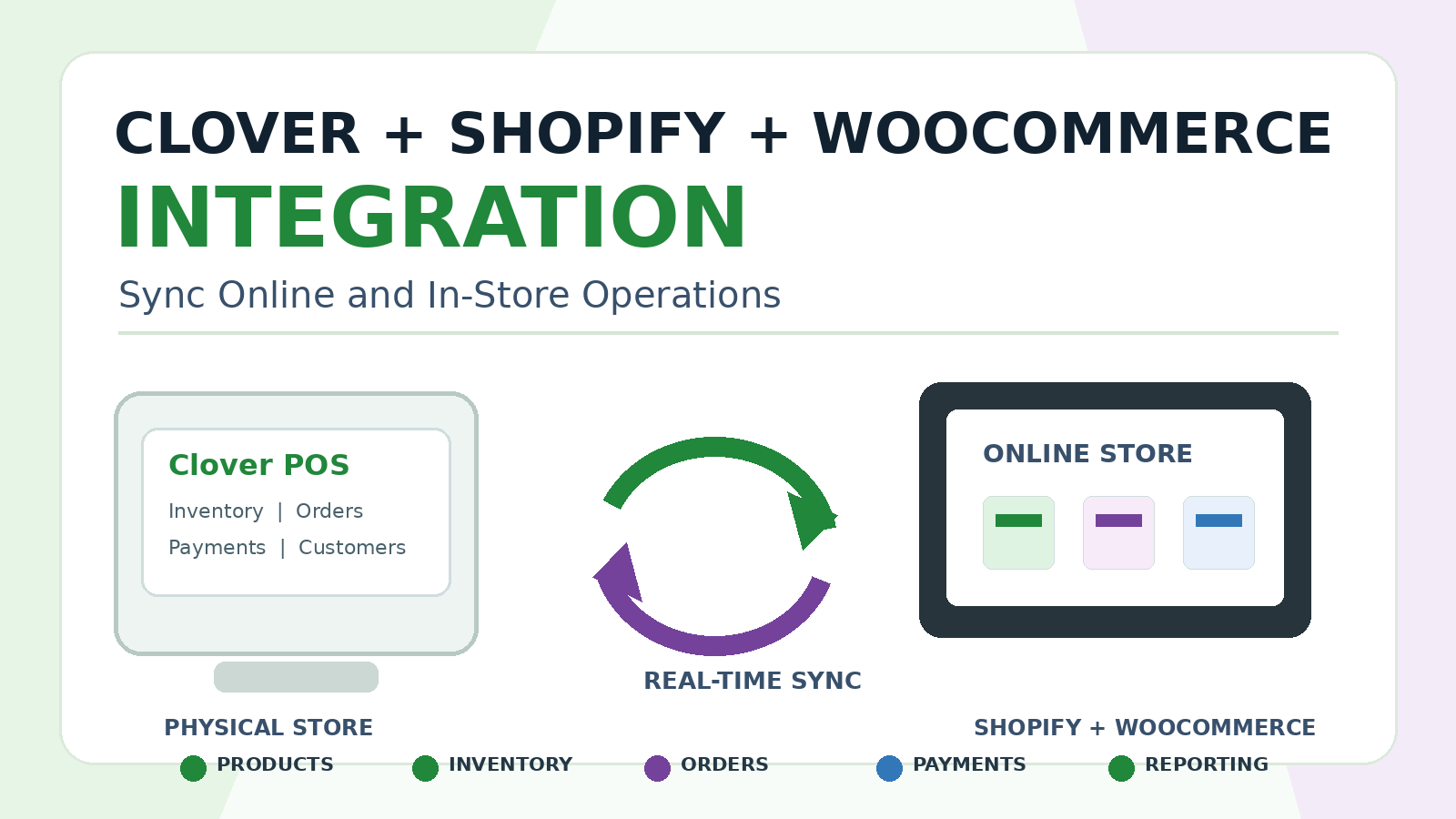
Retail and restaurant businesses increasingly operate across multiple channels. Customers may browse products online, place orders from a mobile device, visit a physical store, request delivery, or complete a purchase at a Clover POS terminal.
Managing products, inventory, orders, payments, customers, and reports separately across these channels creates unnecessary work. Staff members may need to update the same product more than once, reconcile orders manually, and review information across disconnected dashboards.
A Clover Shopify integration or Clover WooCommerce integration can bring these operations together. By connecting Clover POS with an online store, a business can reduce duplicate work, improve inventory visibility, and create a more consistent experience for customers and staff members.
What Is a Clover Shopify and WooCommerce Integration?
A Clover eCommerce integration connects Clover POS with an online store, website, or custom web application. Depending on the business requirements, the integration may synchronize products, inventory, orders, customer records, refunds, payment-related data, and reports.
Clover provides REST APIs that can query merchant data such as inventory, orders, and payments. Clover also supports browser-based integrations using the relevant OAuth flow. These capabilities make it possible to build secure workflows between Clover and an eCommerce platform.
The best integration approach depends on the business model. A retailer may need inventory synchronization across physical and online stores. A restaurant may need online ordering, order routing, and reporting. A multi-location business may require location mapping and a centralized dashboard.
Why Connect Clover With Shopify?
Shopify is widely used by retailers and eCommerce businesses, while Clover is commonly used for in-store POS operations. If these systems are disconnected, staff members may need to update products manually, monitor inventory in different dashboards, and reconcile online and in-store orders separately.
- A custom Clover Shopify integration can be designed around the business workflow rather than forcing the business to rely on a generic one-size-fits-all connector.
- Synchronize products and variants
- Update inventory across online and physical stores
- View online and in-store orders in a centralized workflow
- Connect customer records where appropriate
- Track refunds and cancellations
- Support multi-location inventory rules
- Create reporting dashboards for management
- Generate alerts for sync errors and unusual inventory changes
Why Connect Clover With WooCommerce or WordPress?
WooCommerce businesses often need more flexibility because their WordPress websites may include custom plugins, specialized checkout logic, unique product structures, A Clover WooCommerce integration can connect your online store with Clover while preserving the custom behavior required by your website. The integration can synchronize products, inventory, orders, customer information, payment-related data, and reporting fields based on your requirements.
or business-specific order workflows.
Clover also provides an official WordPress plugin for WooCommerce payments. According to Clover documentation, the plugin allows a merchant using a WordPress-based application such as WooCommerce to securely collect card information from buyers and process payments using the merchant’s Clover account. Businesses with more complex requirements may still need a custom integration.
What Data Can Be Synchronized?
A custom Clover Shopify or WooCommerce integration can be designed around the information that matters most to the business.
Products and Variants
Products, categories, variants, descriptions, pricing, SKUs, and other relevant catalog information can be mapped between systems based on the store structure.
Inventory Levels
Inventory synchronization helps businesses reduce overselling and improve product availability across online and in-store channels. The workflow can update stock levels on a schedule or through event-based processes where supported.
Online and In-Store Orders
A centralized order workflow can improve visibility into purchases made through different sales channels. This helps staff members review order status, fulfillment activity, cancellations, and exceptions more efficiently.
Customers
Customer records can be connected where appropriate, allowing a business to improve reporting, customer support, and loyalty-related workflows.
Payments and Refunds
Payment and refund visibility can be included in the reporting workflow. The exact implementation depends on the checkout flow, merchant setup, and required level of financial detail.
Reports and Business Metrics
A custom dashboard can combine online and in-store performance data, helping business owners review revenue, products, orders, refunds, and location-level trends.
Clover Inventory Synchronization
Inventory synchronization is one of the most important reasons businesses connect Clover with Shopify or WooCommerce. Without a reliable integration, a product sold online may still appear available in-store, or an in-store purchase may not update the online stock quickly enough.
A custom integration should define how inventory is mapped, how often stock levels are synchronized, how multiple locations are handled, and what happens if a synchronization attempt fails.
Clover documentation states that its Inventory REST API endpoints can be used to build custom solutions for merchant inventory needs. This allows businesses to create workflows tailored to their products, locations, and sales channels.
A production-ready inventory workflow may include:
- Product and variant mapping
- Location-specific stock rules
- Scheduled or event-based inventory updates
- Low-stock notifications
- Failed-sync alerts
- Retry mechanisms
- Manual review options
- Admin dashboards for sync status
Clover Website Payment Integration
Some businesses do not need a full product and inventory synchronization system. They may simply need to accept Clover payments through an existing website or custom web application.
Clover Hosted Checkout is one option for simple website payment flows. According to Clover documentation, the Hosted Checkout integration lets merchants accept payments for simple orders directly on their website. Customers click a payment button, move to a Clover-hosted payment page, enter their details, and return to the merchant website after the transaction.
For more advanced requirements, a business may need a custom payment gateway integration, eCommerce API workflow, webhooks, backend processing, or a custom checkout experience.
Multi-Location Clover eCommerce Integration
Businesses with more than one physical location require careful planning. Products may be available at some stores but not others. Orders may need to be routed according to location, stock levels, customer preferences, or fulfillment rules.
A multi-location Clover eCommerce integration can include store mapping, inventory rules, order routing, reporting filters, and centralized management tools.
- Location-wise inventory visibility
- Store-level product availability
- Order routing rules
- Location-based sales reports
- Centralized dashboards
- Refund and cancellation tracking
- Role-based access for managers
- Sync-status monitoring
Custom Reporting for Online and In-Store Sales
Connecting Clover with Shopify or WooCommerce also creates an opportunity to improve reporting. Instead of reviewing separate dashboards, business owners can use a centralized reporting platform designed around the KPIs that matter most.
A custom reporting dashboard can combine Clover data with eCommerce information and present a clearer view of business performance.
- Online versus in-store sales
- Revenue by store or location
- Best-selling products
- Inventory movement
- Refunds and cancellations
- Order volume and fulfillment activity
- Payment summaries
- Customer trends
- Sync errors and operational alerts
Restaurant and Online Ordering Workflows
Clover integrations are also useful for restaurants and food businesses. A restaurant may need to connect its website, online ordering system, delivery workflows, kitchen printers, menu data, and reporting dashboard with Clover.
Depending on the available platform access and API capabilities, the integration may support menu synchronization, order routing, customer notifications, kitchen printing, multi-location reporting, and delivery-related workflows.
CodesOrbit also develops AI-powered restaurant automation solutions, including voice-agent workflows for order handling and customer support.
Error Monitoring and Failed-Sync Handling
A reliable eCommerce integration should not assume that every synchronization attempt will always succeed. Internet issues, expired credentials, third-party platform errors, missing product mappings, and configuration changes can affect the workflow.
A production-ready solution should include visibility into failures and a clear process for resolving them.
- Error logs
- Failed-sync alerts
- Retry mechanisms
- Admin status dashboards
- Product-mapping review tools
- Manual resolution options
- Monitoring for unusual inventory activity
When Does a Business Need a Custom Integration?
A standard connector may be enough for a simple online store. A custom Clover POS integration becomes more valuable when the business needs:
- Specialized inventory rules
- Multiple locations
- Custom product mapping
- Centralized reporting
- Website-specific checkout logic
- Order-routing workflows
- Integration with internal software
- Restaurant or delivery workflows
- Error monitoring
- Additional automations
- Support for future growth
Clover Shopify and WooCommerce Integration Services From CodesOrbit
CodesOrbit develops Clover POS integrations, Clover apps, web portals, eCommerce integrations, custom dashboards, reporting systems, and automation workflows.
We can help your business connect Clover with Shopify, WooCommerce, WordPress websites, custom eCommerce platforms, payment workflows, inventory systems, restaurant platforms, kitchen printers, CRM tools, ERP software, QR and NFC workflows, and AI-powered automations.
Our goal is to build a stable and scalable solution around your operational requirements rather than forcing your business into a generic integration.
Conclusion
A Clover Shopify integration or Clover WooCommerce integration can help a business unify online and in-store operations. The right solution can improve inventory visibility, reduce duplicate work, simplify order management, and give decision-makers better reporting.
The integration should be designed around your actual sales channels, store locations, product structure, reporting needs, and future growth plans.
If your team is managing inventory, orders, and reports manually across separate systems, CodesOrbit can help you develop a custom Clover eCommerce integration and implementation plan.
Frequently Asked Questions
Can Clover integrate with Shopify?
Yes. A custom integration can connect products, inventory, orders, customer data, refunds, reporting information, and other workflows between Clover and Shopify based on your requirements.
Can Clover connect with WooCommerce or WordPress?
Yes. A Clover WooCommerce or WordPress integration can support payments, products, inventory, orders, and reporting workflows. Clover also provides an official WooCommerce payments plugin for eligible merchant use cases.
Can I accept Clover payments on my website?
Yes. Clover Hosted Checkout supports simple website payment flows, while more advanced requirements can be handled through custom eCommerce integrations.
Can the integration support multiple store locations?
Yes. A custom solution can include location mapping, store-level inventory rules, dashboards, reporting, and order-routing logic.
Can the integration update inventory automatically?
Yes. Inventory updates can be processed through scheduled or event-based workflows depending on the systems involved and the required business logic.
Can you build a custom reporting dashboard?
Yes. CodesOrbit can build dashboards for online and in-store revenue, inventory, products, refunds, order activity, store-level performance, and synchronization status.
Do you provide ongoing support after deployment?
Yes. CodesOrbit can provide post-launch troubleshooting, monitoring, feature enhancements, and integration optimization.